This is an edited walkthrough video of the final level I created for my final major project to complete my Bachelors (Hons) degree in Creative Computer Games Design at Swansea Metropolitan University.
Saturday, 23 June 2012
Edited Video Walkthrough of Final Level.
This is an edited walkthrough video of the final level I created for my final major project to complete my Bachelors (Hons) degree in Creative Computer Games Design at Swansea Metropolitan University.

Wednesday, 23 May 2012
Final VIVA Done
Did my final VIVA Presentation on Monday and I felt it went rather well, since I am finished with all the other hand ins as well I can fully concentrate on making my level as good as it can be with the time I have left before the Degree show.
Saturday, 28 April 2012
Paths
Due to my narrow hallways, building paths for my enemy character proved difficult, but since interPactors can be made to not obstruct the paths I sacrificed my elevator shaft to make a room entirely for the pylon, since the pylon needs a room taller and wider than my hallways, but using this room the paths are built through the hallways in the immediate vicinity, im planning on making more of these rooms with interPactor doors to enable my enemy to patrol the hallways.


Friday, 27 April 2012
First Game Sounds
Starting to add game Sounds.
I wanted to continue the industrial feel from the visual to the audio.
I wanted to continue the industrial feel from the visual to the audio.
Dynamo Machine
I've just finished one of my machine models, this is a fairly hi poly model mostly due to the fact that I didn't delete faces on the wheel part as I didn't know if I wanted to re-use it in another way at some other point and wanted to save package space, I might change this at a later point as slightly less than half the wheel is below ground level.
Took me two days to finish the texturing part of it.
To enhance the feeling that it is indeed a sci fi-ish piece of machinery I added pulsating blue lights in the holes of the model in more or less the same way I did for the main character's gun.
This is the model with placeholder textures in maya.
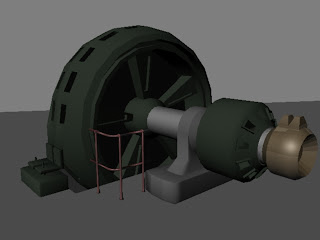 This is the new and final design for this, what I like to call, The Dynamo Machine.


Took me two days to finish the texturing part of it.
To enhance the feeling that it is indeed a sci fi-ish piece of machinery I added pulsating blue lights in the holes of the model in more or less the same way I did for the main character's gun.
This is the model with placeholder textures in maya.


Thursday, 29 March 2012
VIVA 2
I just finished my second VIVA presentation and I feel it went really well, or atleast alot better than my first one where I got destroyed because of my market research bit, but enough of that, now it is easter holiday so I just want to relax for a week or so before diving back into my work.


Saturday, 24 March 2012
Enemy Weapon
Implemented the enemy weapon earlier this week, since this is a bot I didn't have to worry about the problem I had with the main character weapon and didn't need to add the weapon to the character mesh itself, so I just added the machete the normal way and attached it to the right hand of my enemy.


Tuesday, 20 March 2012
Temp Crew Quarters Room
Originally suppose to be First Mate Merrill's quarters aboard the SS. Dynamo but due to the lack of proper references the room didn't turn out the way I wanted it to, neither in design or feel. Looks more like a garage or work space than living quarters.
Animations and Gun
Here's a video showing the mirrored animations and implemented gun on my character walking through the crew quarters section.
First Crew Quarters - Not Happy
I've done a very simple layout for the crew quarters, but it has not turned out at all as I wanted, mainly, I suspect, because I didnt use much references, I very much plan, and will, redo the design of this section.



Gun
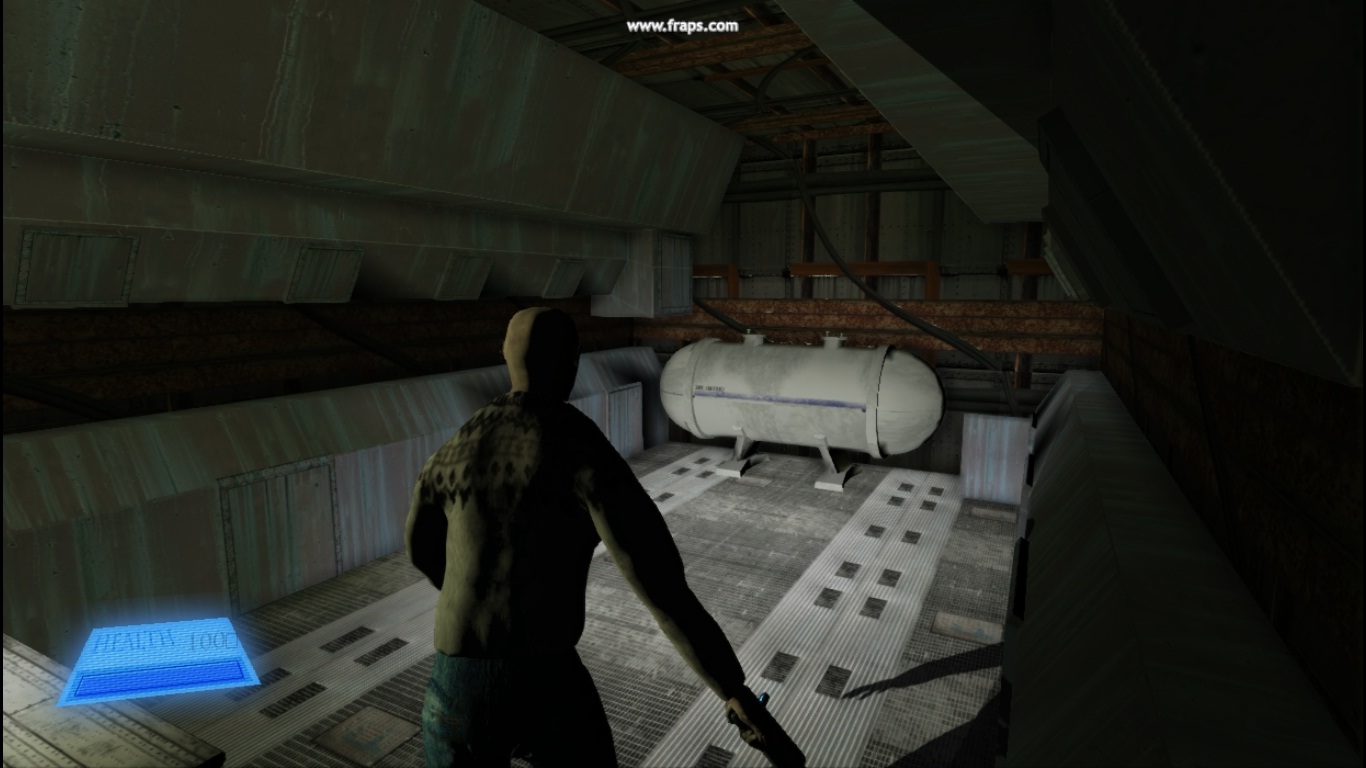
Since my gun didnt show up on my character in-game, even though I followed every tutorial to the T (and they all did the same), I decided to use the suggestion I got in class and put the gun on the actual character mesh and reimport the character, I have since done so and it looks to work rather well. on a related note; since I started to do my AI I have found that the gun actually does show up in the AI's hand exactly where I put it but not mine, very, very peculiar.


Animations
Ok, alot has happened since the last update, I've managed to find a way to mirror my animations, one would think it would be a standard practice, or atleast not unheard of, but it was pretty hard to find a method of doing it, but anyway its fixed now and a vid proving it will not take long to be uploaded on here.
Wednesday, 14 March 2012


Monday, 12 March 2012
Enemy skinned and in UDK
I have skinned and painted weights to my enemy character and applied animations to him, as well as imported him into UDK.


Gun Problem.
I've followed several tutorials on how to implement my gun and it should work great, when I play as the default bot character my gun shows up in both 1st person AND third person, but when I play as my own character the gun doesnt show, the pic is in the skeletal mesh viewer showing my gun attached to my characters right hand socket..


Sunday, 11 March 2012
Functioning HUD
Finally gotten a functioning HUD working, since I am planning on having a one-strike kill from my enemy I dont really need it, but I was thinking maybe I could have "traps" that could hurt the player, like sudden dangerous gas leaks and such...
Friday, 9 March 2012
Thursday, 8 March 2012
Meshy Problem
Suddenly had a problem with my mesh when importing into UDK, it seemed that holes appeared in the mesh, after much back and forth I figured out the problem, in the import options in UDK there's an option named 'remove degenerates' which is switched on by default, it removes triangles or something even though theres NO triangles in my characters face, but anyway I digress, when switched off my character imports normally, except for some single polygons that looks unsmoothed, and when ticking the 'combine mesh' these hard polygons disappeared and things are looking rosy again.


Mirroring Animations........maybe
Since I only made a right strafe animation with the intention of using mirror tables in UDK to mirror the animations, but I have run into a little problem, the skeleton becomes mirrored as one would perhaps expect but not like this, everything right is on the left and visa versa, and the mesh itself is backwards forwards so when I correct the skeleton the mesh just becomes more and more destroyed.


AnimTree So Far
This is what my animtree looks like so far in UDK, it has a crouch function and an aiming function using bools, but for the crouching to look right I need to fix the Z axis (up) part of my animations because now it looks like he crouches in the air.


Subscribe to:
Posts (Atom)